Ways to play
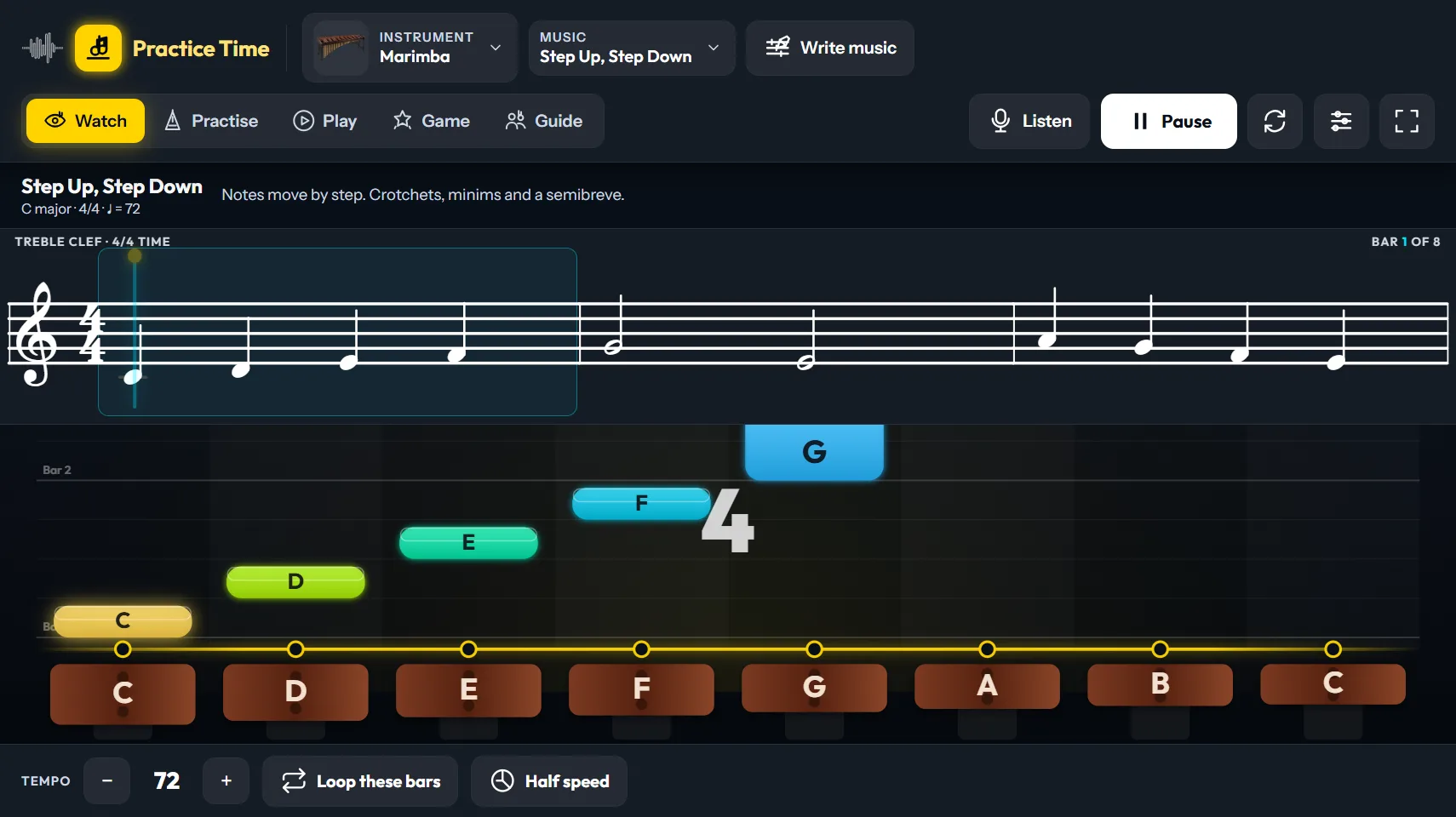
Watch it first. Practise, and it waits for every note. Play in time and see Perfect, Early or Late. Game adds points and a run that grows. Guide plays for the whole class with no scoring.
A JLS Music program · Windows
Notes fall towards your instrument while the stave shows the same music. Play along, and Practice Time checks every note. 33 instruments, from marimba to tuba.
SolvesPractice that nobody checks: Practice Time listens and checks every note.
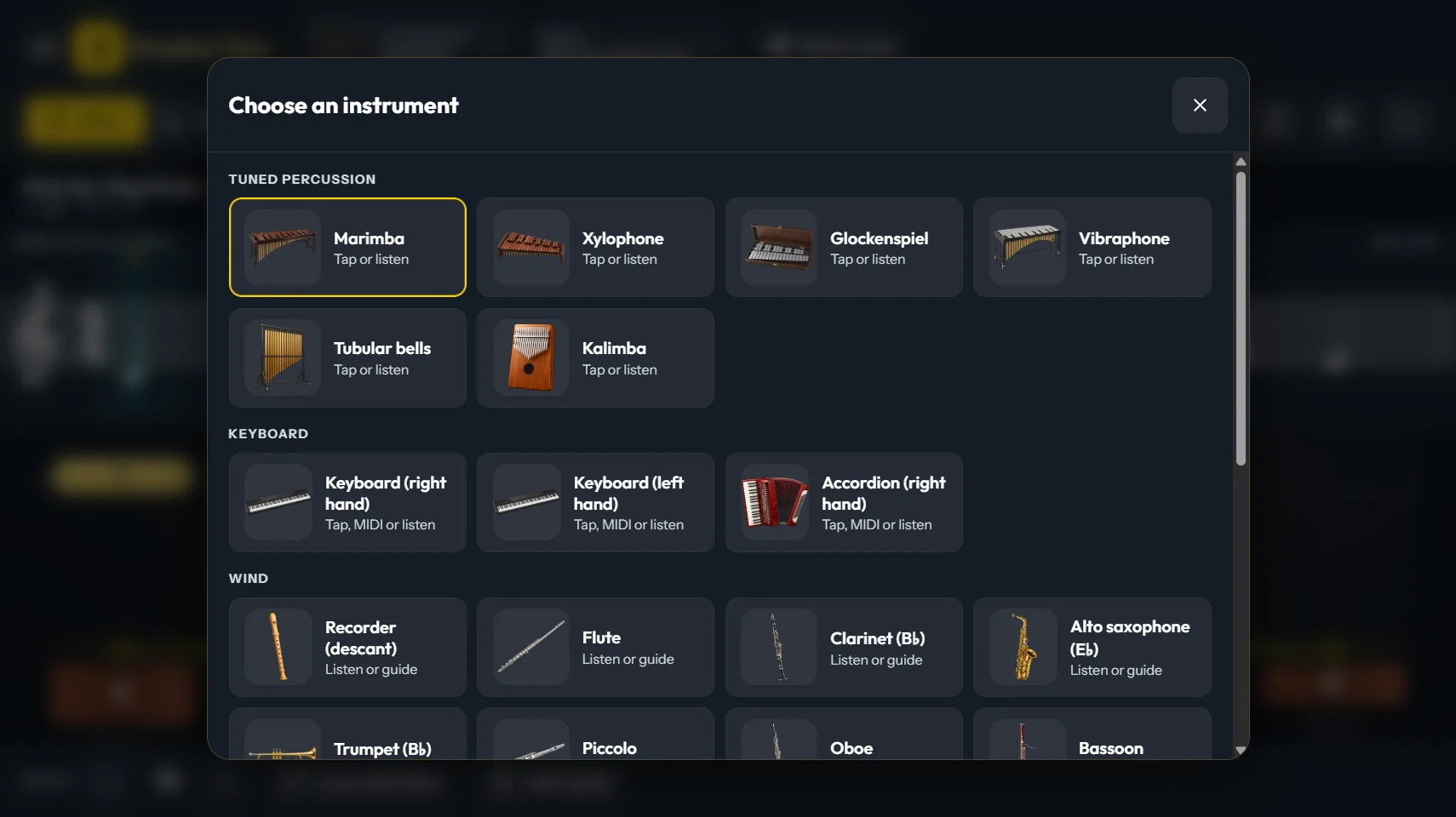
Every instrument reads its own clef and its own written notes. A clarinet player sees clarinet music; a cellist reads the bass clef.
Watch it first. Practise, and it waits for every note. Play in time and see Perfect, Early or Late. Game adds points and a run that grows. Guide plays for the whole class with no scoring.
Between 21 and 104 per instrument: scales and arpeggios in the keys that fit, intervals, rhythm, reading and echo phrases, pentatonic and blues, modes, and technique studies. Three levels: Starting, Building, Stretching.
Written for Practice Time, each offered only on the instruments that have its notes.
Write a piece on the stave, or import one saved from a notation program (MusicXML or MIDI). It opens on every instrument, transposed for it.
Tempo up and down, half speed, and loop the bars you are on. On a board, Full screen hides everything but the music.
Once installed it works offline and sends nothing anywhere. Settings and your own pieces stay on your computer.
Tuned percussion: marimba, xylophone, glockenspiel, vibraphone, tubular bells, kalimba. Keyboard: right hand, left hand, accordion. Wind: descant, alto and tenor recorder, flute, piccolo, oboe, clarinet, bassoon, alto and tenor saxophone, ocarina, harmonica, trumpet, French horn, trombone, tuba. Strings: violin, viola, cello, double bass, guitar, bass guitar, ukulele, harp.
How it checks you. Tap the instrument on screen, plug in a MIDI keyboard, or switch on Listen and play your own instrument to the microphone. Listen hears one note at a time: the pitch to within a few cents and the timing to about 20 to 30 thousandths of a second. It cannot check chords, and it does not judge your tone. The ranges are beginner ranges inside each instrument’s usual compass.
The demo opens every screen and every instrument. Watch plays one tune and one drill on each instrument, so you can see and hear how it works.
Windows may show a blue box that says “Windows protected your PC”. Click More info, then Run anyway: the program is new and does not yet carry a publisher certificate. The demo is for looking: Practise, Play, Game, Guide, Listen, the MIDI keyboard and saving music are in the full program. There is no Mac or phone version.
For one school or studio, on all its computers and boards.
Pay by card, and your download and activation code are ready straight away. After the year of updates, everything you bought keeps working. Your code carries the name on the licence, which shows in the program. Windows 10 or 11. Questions first? Write to sales@jlsmusic.co.za.